


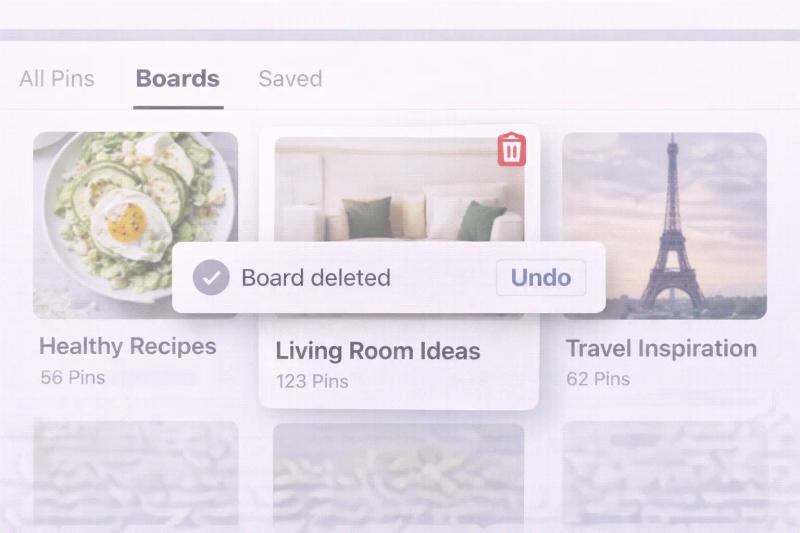
If you have been organizing ideas on Pinterest for a while, chances are you have boards you no longer need.
Maybe a seasonal campaign is over. Maybe your niche changed. Or maybe you simply want a cleaner profile.
In this guide, you will learn exactly how to delete a board from Pinterest, what happens after deletion, and whether archiving is a better option.
You can delete a Pinterest board from desktop or mobile by opening the board, tapping the three dots (•••), selecting Edit Board, and choosing Delete Board. Once confirmed, the board and all its Pins are permanently removed and cannot be recovered.
How to Delete a Board from Pinterest on Desktop
Step 1: Log in to your Pinterest account. Go to https://www.pinterest.com and enter your login details.
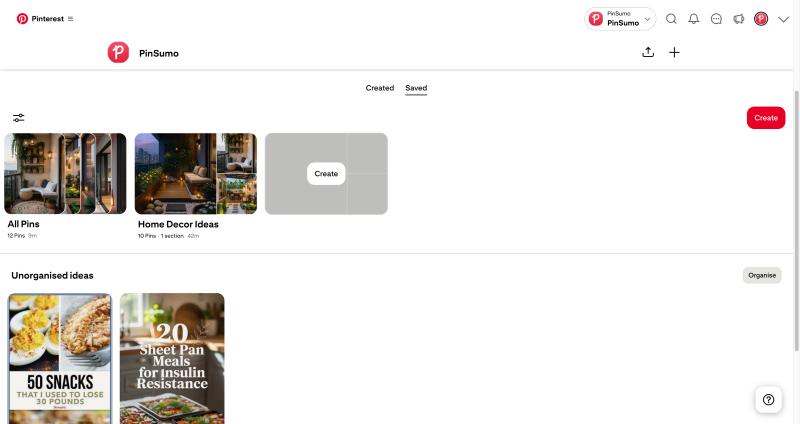
Step 2: Open your profile. Click your profile picture in the top right corner to view all your Pinterest boards.
Step 3: Select the board you want to delete. Click the board to open it.
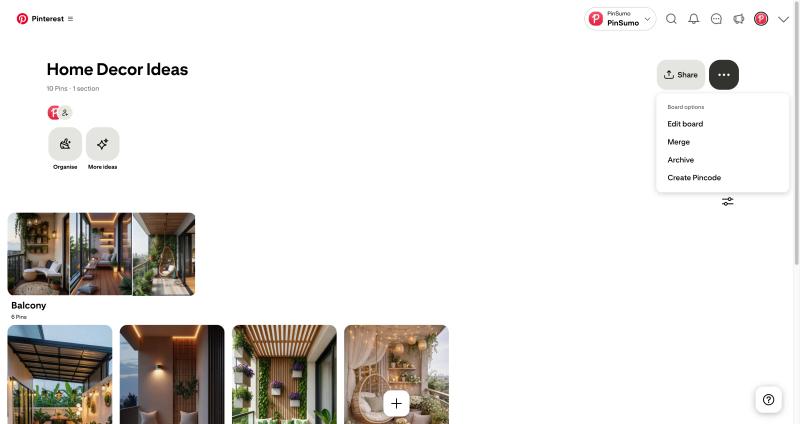
Step 4: Click the three dots (•••). You will find them near the board name.
Step 5: Click “Edit Board.” This opens the board settings panel.
Step 6: Scroll down and click “Delete Board.” The delete option appears in red at the bottom.
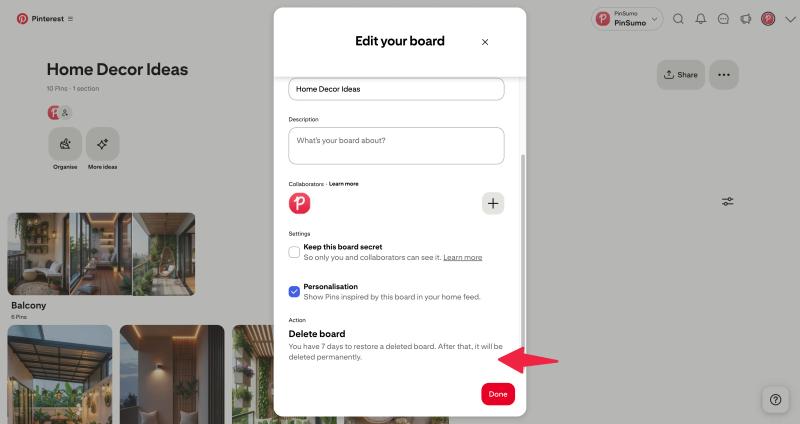
Step 7: Confirm deletion. Click “Delete permanently” when Pinterest asks for confirmation.
Your board and all its Pins will now be permanently removed.
How to Delete a Pinterest Board on Mobile (Android and iPhone)
Step 1: Open the Pinterest app. Launch the app on your Android or iPhone device.
Step 2: Go to your profile. Tap your profile icon at the bottom right of the screen.
Step 3: Open the board. Tap the board you want to remove.
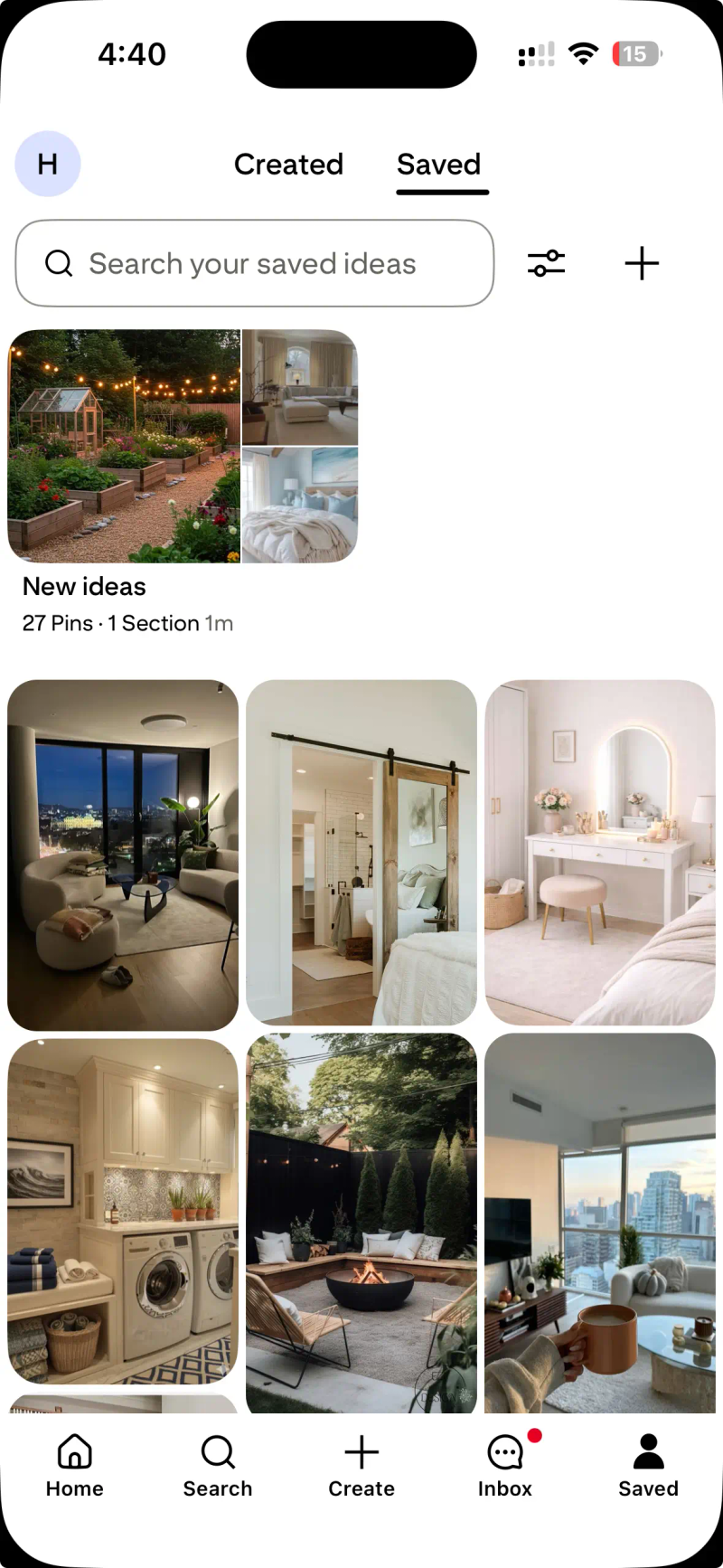
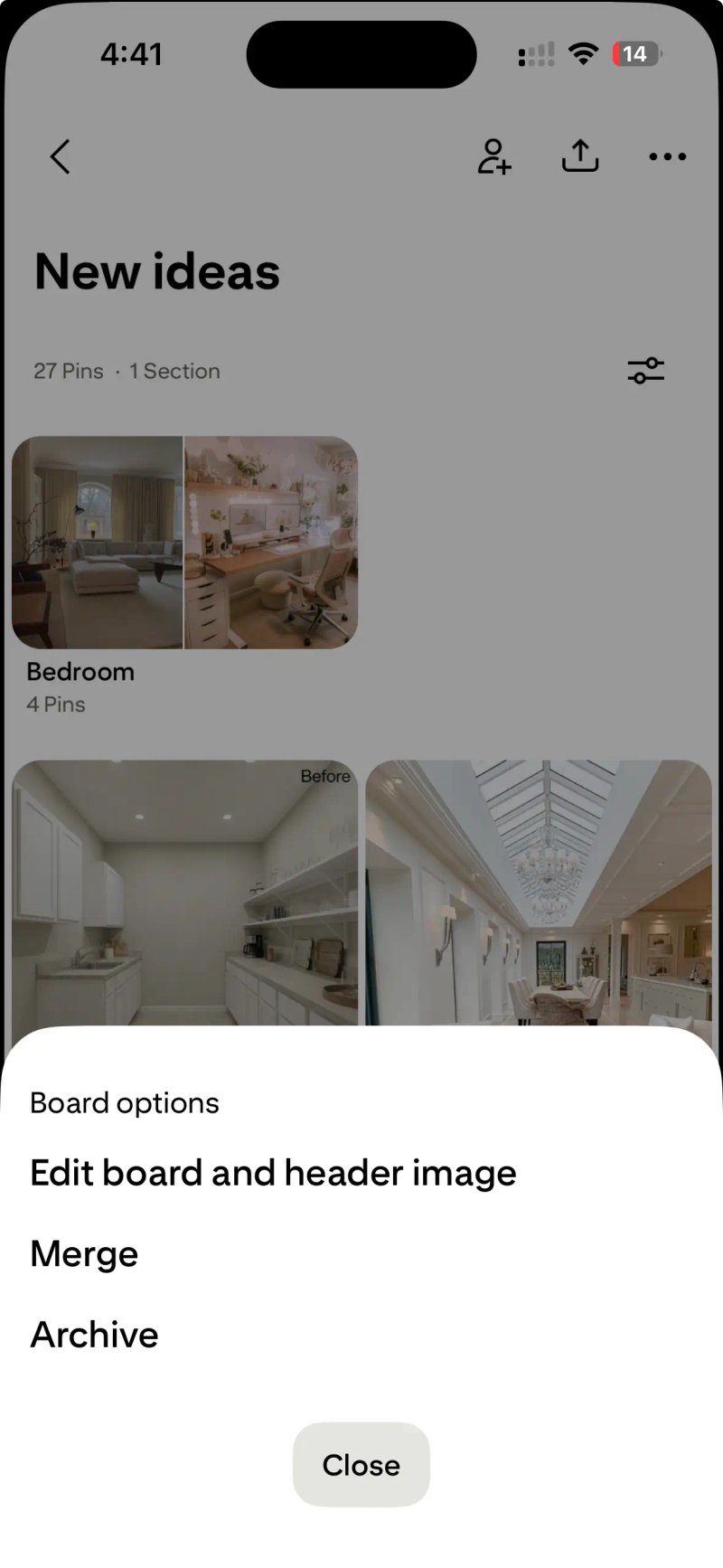
Step 4: Tap the three dots (•••). These are located in the top right corner.
Step 5: Tap “Edit Board.” This will open board settings.
Step 6: Scroll down and tap “Delete.” You will see the delete option at the bottom.
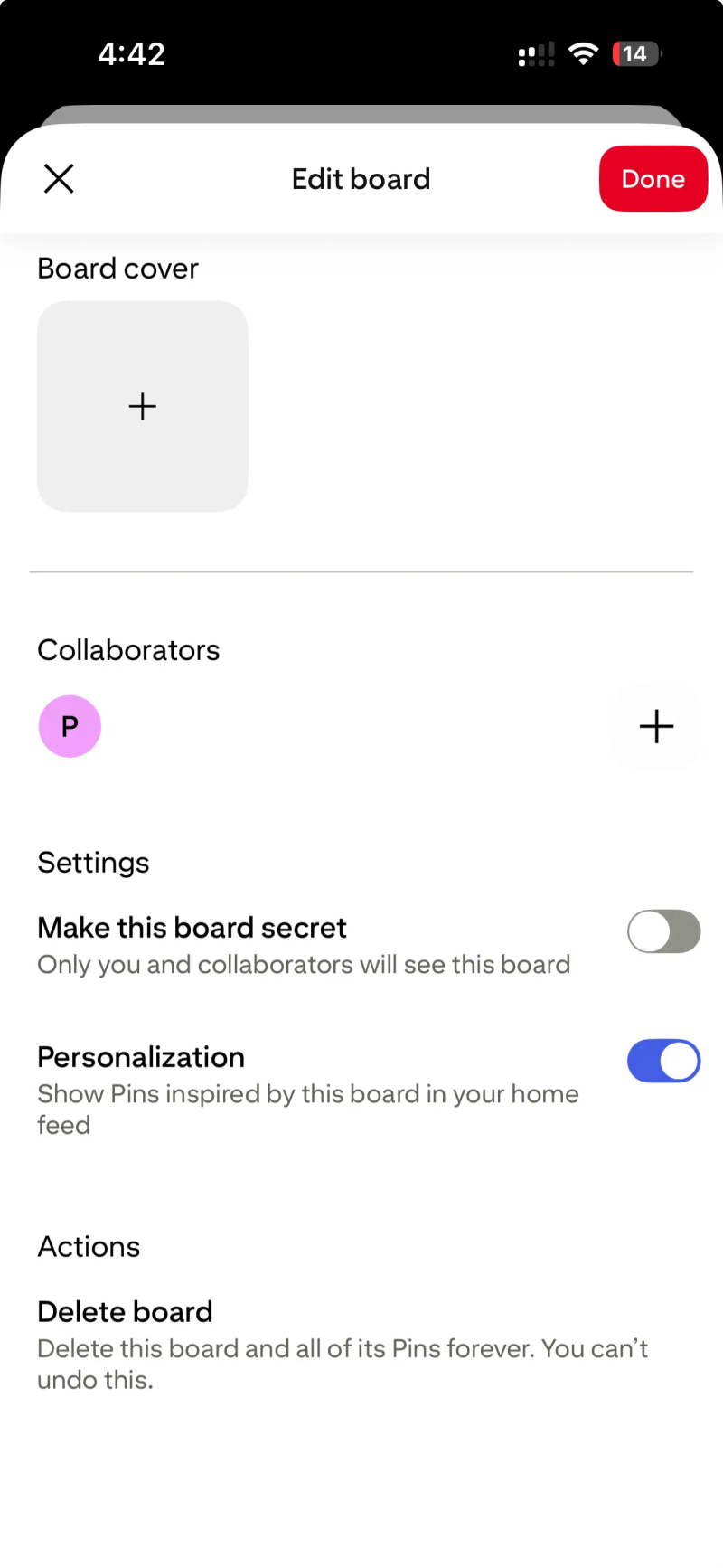
Step 7: Confirm. Tap again to permanently delete the board.
What Happens When You Delete a Pinterest Board?
Before you delete a Pinterest board, keep this in mind:
- All Pins inside the board are permanently deleted
- Collaborators lose access
- Board analytics are removed
- The action cannot be undone
If you are using Pinterest for traffic, blogging, Etsy, or Shopify marketing, deleting boards may impact your Pinterest SEO structure.
For official help documentation, you can visit: https://help.pinterest.com/
Archive Instead of Delete (Safer Option)
If you are unsure, archiving may be better.
When you archive a board:
- It becomes hidden from your public profile
- Followers cannot see it
- You can restore it later
To archive a board:
- Open the board.
- Click the three dots.
- Select “Edit Board.”
- Click “Archive.”
Archiving works well for seasonal boards like holiday collections or limited-time campaigns.
Final Thoughts
Deleting a board from Pinterest is quick and simple. But it is permanent.
If you are confident the board is no longer useful, go ahead and remove it. If there is any chance you may reuse it later, archiving is the smarter move.
Keeping your Pinterest boards organized improves profile clarity, user experience, and overall Pinterest search visibility.
FAQs on deleting Pinterest Boards


Generate pins with AI agent on autopilot
Create, schedule, and grow your Pinterest presence effortlessly with AI-powered automation.
Try GenSumo FreeCan I recover a deleted Pinterest board?
No, Pinterest does not offer a recovery option once a board is permanently deleted. When you confirm deletion, the board and all the Pins saved inside it are removed from your account. If you think you might need the content later, it is better to archive the board instead of deleting it.
Does deleting a board delete all the Pins inside it?
Yes. When you delete a Pinterest board, every Pin saved to that board is permanently removed from your profile. However, if those Pins were originally created by other users, they will still exist on Pinterest. They will just no longer be saved to your board.
Will my followers be notified if I delete a board?
No, Pinterest does not send notifications to followers when you delete a board. The board will simply disappear from your profile. If someone visits your profile and cannot find it, that is the only visible change.
What happens to collaborative boards if I delete them?
If you delete a group or collaborative board that you own, it will be removed for all contributors. They will immediately lose access to the board and its Pins. If you are only a collaborator and not the owner, you may not have permission to delete it.
Is it better to archive or delete a Pinterest board?
Archiving is usually better if the board is seasonal or temporarily inactive. It keeps your profile clean without permanently removing content. Deleting is best for duplicate boards, test boards, or content that no longer fits your strategy.
Can I delete a secret board?
Yes. The process for deleting a secret board is exactly the same as deleting a public board. Even though it is hidden from others, deleting it will permanently remove all Pins inside it.