


Pinterest is more than a place to save ideas. It is also a space where you can connect with creators, brands, friends, and collaborators.
If you are trying to locate someone’s profile but not sure where to start, this guide will show you the easiest ways to find people on Pinterest using both desktop and mobile.
Here are the exact Pinterest image sizes and specs you need to get it right:
- Best Pinterest pin size: 1000 x 1500 pixels
- Ideal aspect ratio: 2:3 (vertical)
- Max long pin size: 1000 x 2100 (1:2.1 ratio)
- Idea Pin size: 1080 x 1920 (9:16)
- Square pin: 1000 x 1000 (1:1)
- Video pin: 2:3 or 9:16 (MP4, up to 2GB)
- Profile picture: 400 x 400 (square, displays as circle)
- Board cover photo: 800 x 450 (16:9)
If you remember just one thing:
Use 1000 x 1500 pixels (2:3 vertical) for most Pinterest pins.
1. How to Search for Someone on Pinterest Using the Search Bar
Step 1: Open Pinterest
Log into your account on desktop or mobile.
Step 2: Click the search bar
The search bar is located at the top of the screen.
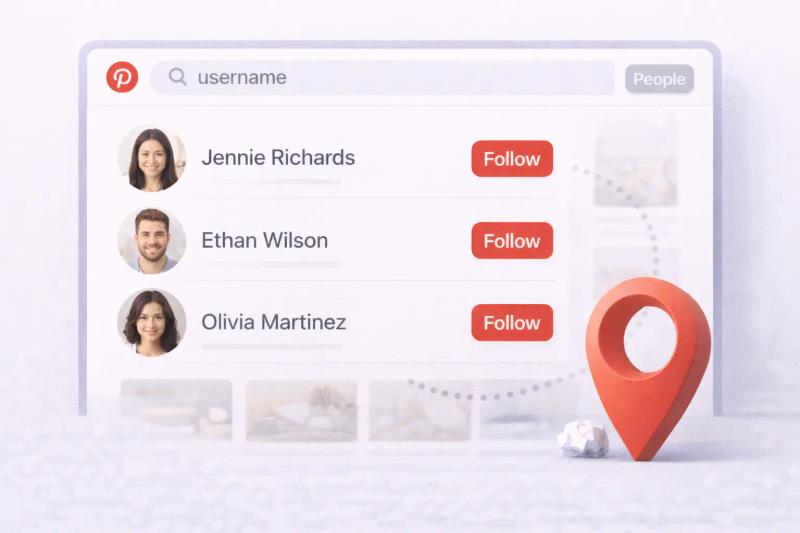
Step 3: Type the person’s name or username
Enter their full name, brand name, or Pinterest username.
Step 4: Switch to the People filter
After searching, click on the People tab to filter results.
Step 5: Select the correct profile
Click on the profile to open it and follow if needed.
Tip: Searching by exact username gives more accurate results.
2. How to Look Up Someone on Pinterest by Username URL
If you know the username, you can go directly to their profile.
Pinterest profile URLs follow this format:
https://www.pinterest.com/username/
Simply replace “username” with their exact Pinterest handle.
Example:https://www.pinterest.com/pinterest/
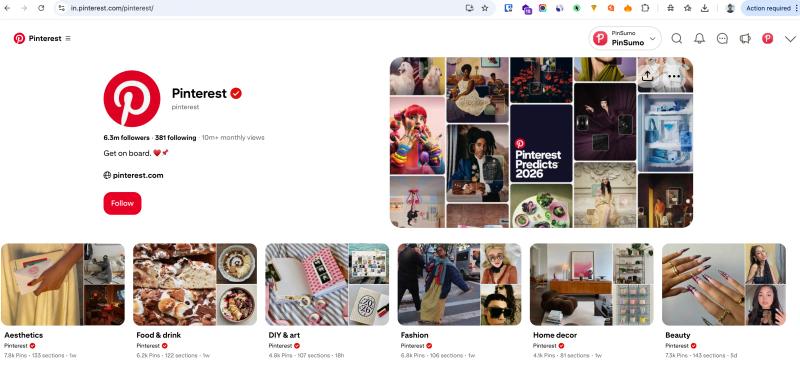
This method works well if someone shared their profile link.
3. How to Find Friends on Pinterest Using Contacts
If you want to connect with people you already know in real life, Pinterest allows you to sync your phone contacts. This helps the platform suggest accounts linked to saved email addresses or phone numbers.
Step 1: Open the Pinterest app
Make sure you are logged into your account.
Step 2: Go to your profile
Tap your profile picture in the bottom right corner.
Step 3: Open Settings
Tap the three dots in the top right corner, then select Settings.
Step 4: Tap Privacy and data
Scroll until you see the Privacy and data section.
Step 5: Turn on Contact sync
Enable the option to sync contacts from your phone.
Once enabled, Pinterest will scan your saved contacts and suggest matching accounts. You can then choose to follow the people you recognize.
Important Things to Know
- You can turn contact sync off anytime.
- Pinterest does not show your contacts to other users.
- Not everyone will appear unless they signed up with the same email or phone number.
This method is helpful when you do not know someone’s exact username but want to see if they are already on Pinterest.
4. How to Find Someone Through Followers or Following Lists
If search is not giving you the right results, checking mutual connections can often help. Many people in the same niche, workplace, or friend circle tend to follow similar accounts.
Step 1: Open a mutual connection’s profile
Visit the profile of someone who might also follow the person you are trying to find.
Step 2: Tap or click Followers
This shows everyone who follows that account.
Step 3: Tap or click Following
This shows the accounts they follow.
Step 4: Scroll or use search within the list
Look through the list carefully. On desktop, you can use your browser’s search function to quickly scan names.
This method works especially well if:
- You share the same industry or interests
- You have common friends
- The person has a smaller or niche account
Because Pinterest is built around shared interests, follower networks often overlap. If someone is active in the same space, chances are you will spot them through a mutual connection.
5. How to Search Someone on Pinterest Mobile App
If you are using your phone, finding someone’s profile is quick and simple inside the Pinterest app. The steps are nearly the same as desktop, just adapted for mobile navigation.
Step 1: Open the Pinterest app
Launch the app on your Android or iPhone and log into your account.
Step 2: Tap the search icon
At the bottom of the screen, tap the magnifying glass icon.
Step 3: Enter the person’s name or username
Type their full name, brand name, or Pinterest handle.
Step 4: Switch to the People filter
After results appear, tap the filter option and choose People to narrow the search to profiles only.
Step 5: Select the correct account
Tap the profile to open it. From there, you can follow or explore their boards.
If you do not see the profile immediately, double-check spelling or try searching with fewer words.
Troubleshooting Pinterest Account Search
Sometimes, even when you are sure someone has a Pinterest profile, it does not appear in search results right away. If that happens, do not worry. There are a few common reasons and simple fixes you can try inside Pinterest.
Double-check spelling
Pinterest search is fairly flexible, but exact spelling still matters. A small typo in a username can completely change results.
For example, someone might display their name as “Katie,” but their username could be “katherine_designs.” Try different variations of their name if your first attempt does not work.
Try different search terms
If searching by username does not show results, try:
- Their full name
- Their business or brand name
- A shorter or longer version of their name
- Keywords related to their niche
Some people use creative usernames that are not directly connected to their real name.
They may have changed their name
Pinterest allows users to update their username and display name. If you last connected a long time ago, they may now be using a completely different profile name.
In that case, searching by their brand name or checking mutual connections can help.
The account may be inactive
Profiles that have not been active for a long time might not appear prominently in search. While most accounts remain searchable, inactive profiles can be harder to find.
Privacy or discoverability settings
Although Pinterest accounts are generally public, some users adjust settings that limit how easily their profile appears in search. This can make them less visible unless you know the exact username.
The account might not exist
Not everyone actively uses Pinterest. Some people browse without building a public presence, and others may have deleted their account entirely.
If you have tried multiple search approaches without success, they may not have an active profile.


Generate pins with AI agent on autopilot
Create, schedule, and grow your Pinterest presence effortlessly with AI-powered automation.
Try GenSumo FreeTips for Better Pinterest Search Results
Finding the right profile often comes down to being specific and strategic.
Use full names or brand names
Instead of searching only a first name, include both first and last name or the full business name. More detailed searches usually bring more accurate results.
Add niche keywords
If you are not looking for one specific person but instead accounts in a certain field, try searching with descriptive terms.
For example:
- “wedding photographer London”
- “minimalist home decor creator”
- “fitness coach for beginners”
This helps you discover relevant profiles even if you do not know exact usernames.
Use Google for additional help
Sometimes profiles appear more easily in Google search than inside the app.
Try typing:
site:pinterest.com full name or brand
This can help surface public Pinterest accounts quickly.
Look at suggested accounts
When you visit a profile, Pinterest often suggests similar creators. These recommendations are based on shared interests and content themes and can help you discover new people naturally.
Check for verified profiles
Public figures and well-known brands sometimes have a verified badge next to their name. This helps confirm you are viewing the official account instead of a fan page or duplicate.
Final Thoughts
Finding someone on Pinterest is usually simple once you understand how search works. In most cases, the built-in search bar with the People filter is enough. If that does not work, trying variations of their name, checking mutual followers, or using Google can make a big difference.
Keep in mind that usernames can change, accounts can become inactive, and not everyone maintains a highly visible public profile. A little flexibility in how you search often leads to better results.
Frequently Asked Questions
Can I find someone on Pinterest without knowing their username?
Yes. You can search using their full name, brand name, or keywords related to their niche. You can also check mutual followers or use Google search with site:pinterest.com to locate public profiles.
Can I search for someone on Pinterest by email address?
Not directly through the search bar. However, you can sync your phone contacts in settings, and Pinterest may suggest accounts linked to saved emails or phone numbers.
Why can’t I find someone even though they have a Pinterest account?
There could be several reasons. The username may be misspelled, the account may be inactive, the person may have changed their name, or their profile may be less discoverable due to privacy settings.
Will someone know if I search for or view their profile?
No. Pinterest does not notify users when someone searches for them or visits their profile.
Can I find private Pinterest accounts?
Pinterest profiles are generally public. If an account is deactivated or deleted, it will not appear in search results.
Is there a way to browse people by category or interest?
Yes. You can search using niche-related keywords like “food blogger” or “home decor stylist” to discover accounts based on shared interests inside Pinterest.