


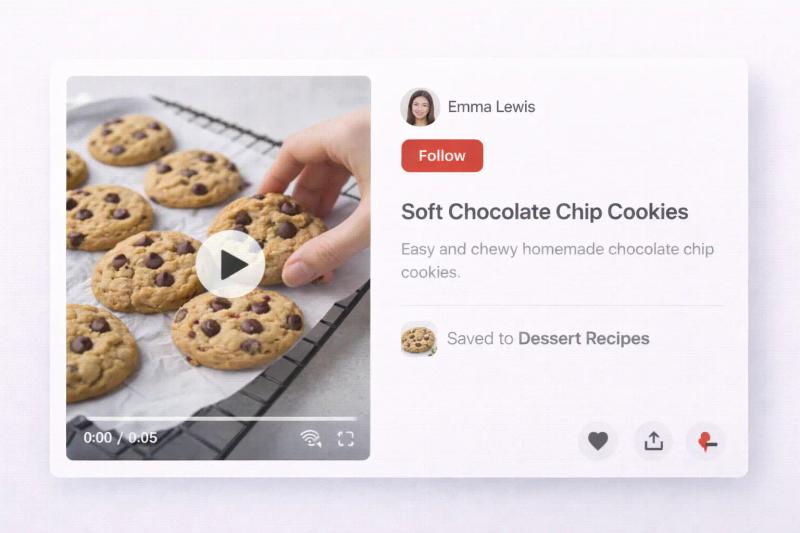
Video is becoming more common on Pinterest, and for good reason.
It stands out in the feed, explains ideas faster than images, and often keeps people engaged longer.
If you are trying to figure out how to post a video on Pinterest or upload one properly without errors, the process is actually simple.
Once you understand the steps and a few formatting basics, you can start adding video to your boards in minutes.
To post a video on Pinterest:
- Click Create Pin and upload your video (desktop or mobile).
- Add a clear, keyword-focused title and description.
- Insert a destination link if you want traffic.
- Choose the right board.
- Publish or schedule.
Use vertical format (2:3 or 9:16), keep videos concise, and optimize for search. Clear titles and consistent posting help your videos get discovered over time.
Why Use Video on Pinterest?
Pinterest has steadily expanded video features because users engage strongly with moving content.
According to Pinterest Business, video content often drives stronger engagement compared to static visuals in certain niches like tutorials, recipes, and product demos.
Video works especially well for:
- Step-by-step guides
- Before and after transformations
- Product demonstrations
- Outfit styling
- Recipes
Unlike short-form platforms where videos disappear quickly, Pinterest videos can continue appearing in search results over time.
How to Post Video On Pinterest (Desktop)
Uploading from a computer gives you more control over formatting and descriptions.
Step 1: Log in to Pinterest
Go to Pinterest.com and sign in to your account.
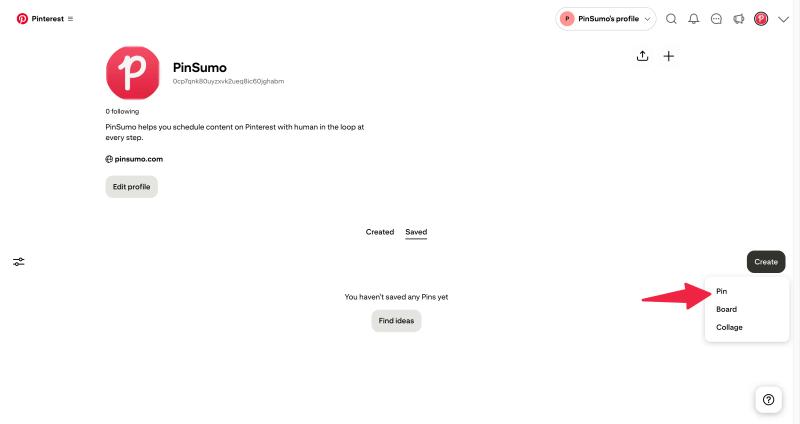
Step 2: Click “Create”
At the top of your screen, click Create, then select Create Pin.
Step 3: Upload Your Video File
Drag and drop your video file or click to upload it.
Pinterest supports formats like MP4, MOV, and M4V.
The maximum file size is typically up to 2GB, although shorter videos upload faster and process more smoothly.
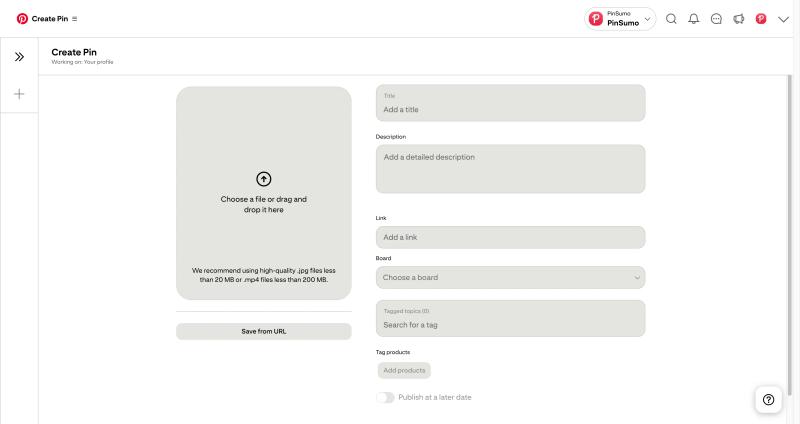
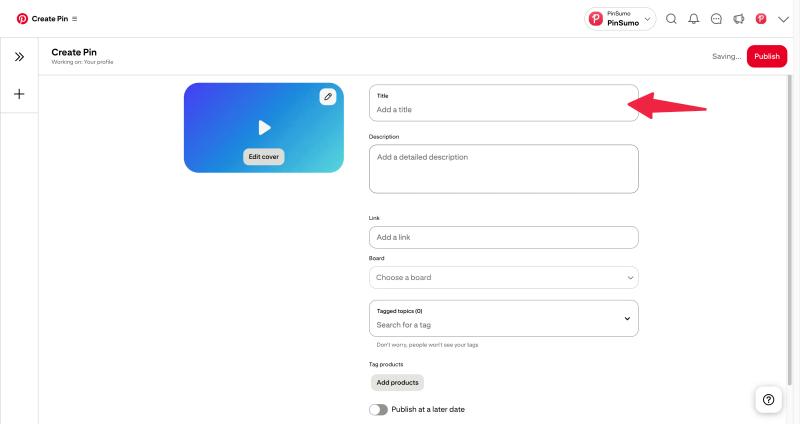
Step 4: Add Title and Description
This is where Pinterest SEO becomes important.
Add a clear and searchable title.
Example: “Easy High Protein Breakfast Ideas”
Write a description that explains what the video shows. Use relevant keywords naturally without overloading them.
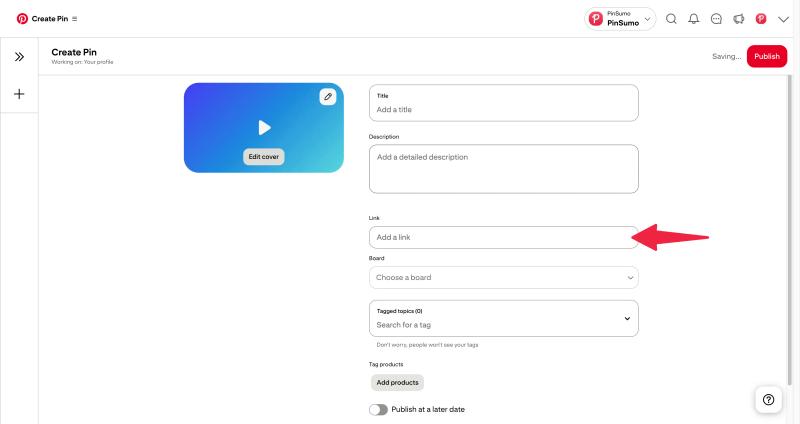
Step 5: Add a Destination Link
If you are sending viewers to a blog post, product page, or landing page, paste the URL here.
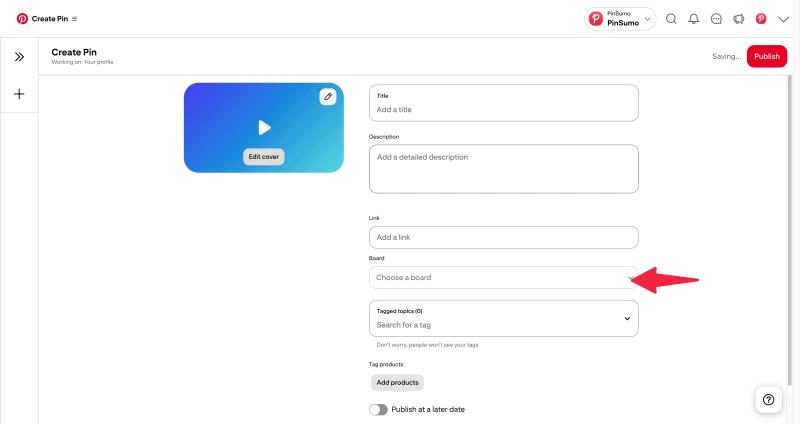
Step 6: Choose a Board
Select the most relevant board for your video.
Step 7: Publish or Schedule
You can publish immediately or schedule the video for a later date.
Your video is now live.
How to Upload a Video on Pinterest (Mobile App)
If you are using the Pinterest app on iPhone or Android, the steps are very similar.
Step 1: Open the Pinterest App
Log into your account.
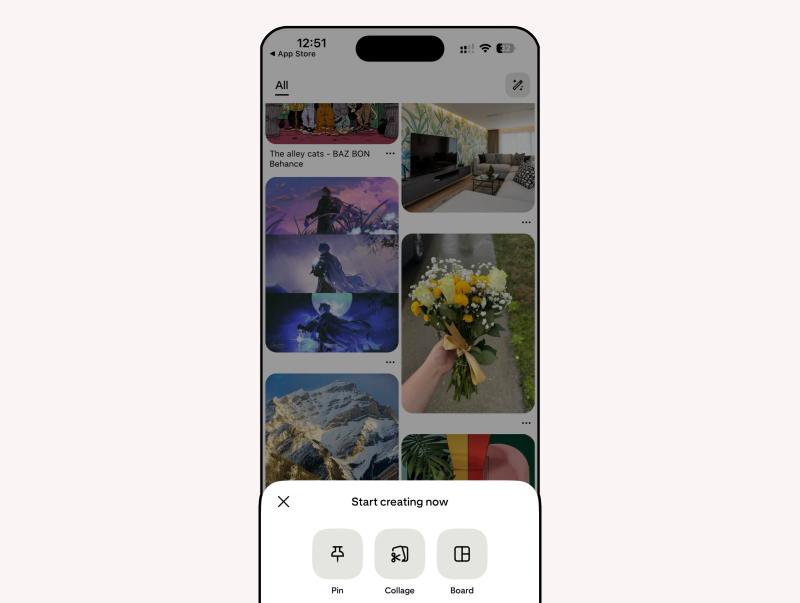
Step 2: Tap the Plus Icon
Tap the + icon and select Pin.
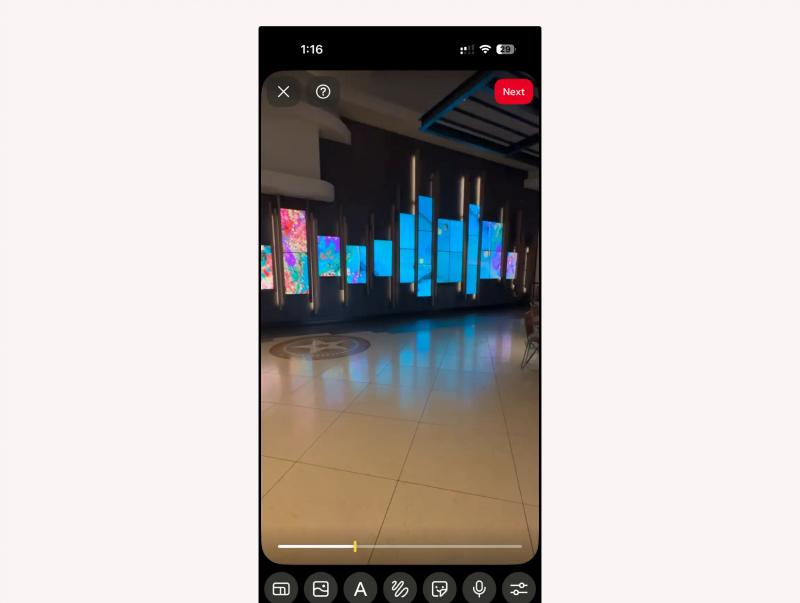
Step 3: Select Your Video
Choose a video from your camera roll.
Step 4: Add Title and Description
Write a clear, keyword focused title.
Add a short but informative description explaining what the video covers.
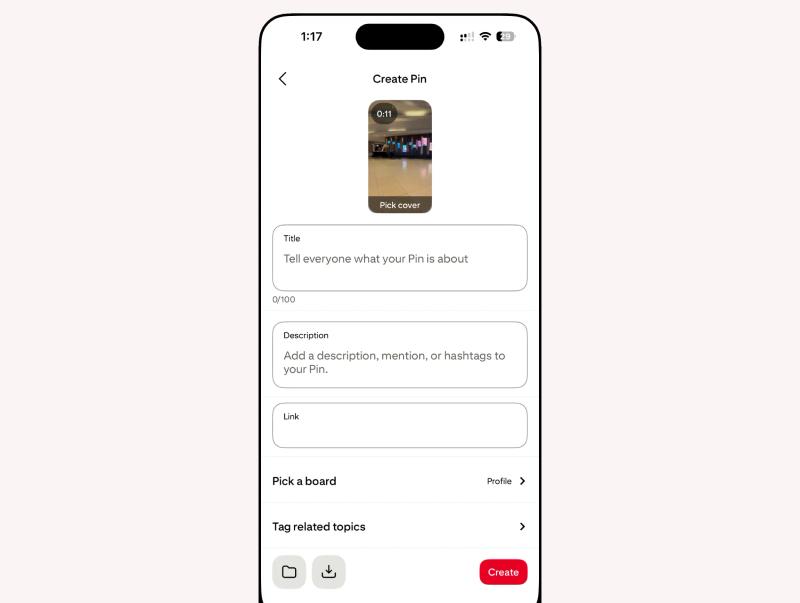
Step 5: Add Link and Board
Insert your destination link if needed and choose the appropriate board.
Step 6: Tap Publish
Your video will now appear in the Pinterest feed.
Recommended Pinterest Video Specifications
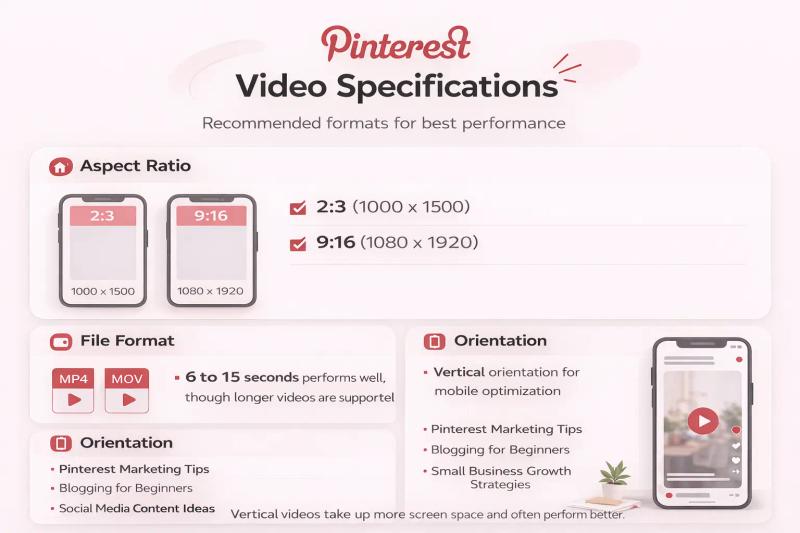
Pinterest recommends the following formats for best performance:
- Aspect ratio: 2:3 (1000 x 1500) or 9:16 (1080 x 1920)
- Length: 6 to 15 seconds performs well, though longer videos are supported
- File format: MP4 or MOV
- Vertical orientation for mobile optimization
Vertical videos take up more screen space and often perform better.
How to Add Video to Pinterest for Maximum Reach
Uploading is easy. Optimizing is where results happen.
Here are practical tips.
1. Hook Viewers in the First 2 Seconds
Pinterest users scroll quickly.
Start with motion or a strong visual cue.
Example: Instead of starting with a logo, start with the finished result.
2. Add Text Overlays
Many users browse without sound.
Add text overlays that explain what the video is about.
Clear text improves both engagement and search relevance.
3. Use Keyword-Focused Titles
Pinterest functions as a search engine.
Avoid vague titles like:
“Watch This”
Use specific phrases like:
“How to Organize a Small Closet”
4. Stay Consistent
Video works best when part of a consistent strategy.
Creating and uploading videos regularly can be time consuming. Maintaining consistent visuals and posting rhythm improves visibility.
Tools like PinSumo AI can help generate on-brand pins and maintain scheduling consistency, which supports both static and video strategies by keeping your account active and structured.
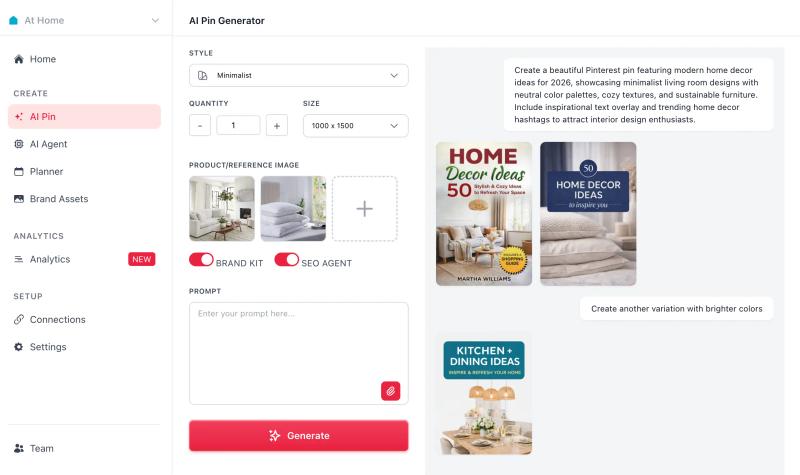
Consistency helps Pinterest understand your niche.
Final Thoughts
Uploading a video to Pinterest is straightforward. The real difference comes from how you present it.
Use a clear title that matches what people are searching for. Add a helpful description. Choose the right board. Keep your video vertical and easy to understand, even without sound.


Generate pins with AI agent on autopilot
Create, schedule, and grow your Pinterest presence effortlessly with AI-powered automation.
Try GenSumo FreeFrequently Asked Questions
What video formats does Pinterest support?
Pinterest supports common formats such as MP4, MOV, and M4V. MP4 is generally the safest and most widely compatible format. Make sure your file is not corrupted and stays within the size limits before uploading.
What is the best video size for Pinterest?
For best performance, use a vertical format. Recommended aspect ratios are:
- 2:3 (for example, 1000 x 1500 pixels)
- 9:16 (for example, 1080 x 1920 pixels.
Vertical videos take up more space in the feed and usually get better visibility.
How long can a Pinterest video be?
Pinterest allows videos from a few seconds up to several minutes. However, shorter videos between 6 and 15 seconds often perform well because they quickly communicate the main idea.
Why won’t my video upload to Pinterest?
Common reasons include:
- Unsupported file format
- File size too large
- Slow internet connection
- Outdated browser or app.
Try compressing the video, checking your connection, or updating your browser or app.
Can I add a link to my Pinterest video?
Yes. When uploading a video, you can add a destination URL. This is useful if you want to drive traffic to a blog post, product page, or landing page.
Do Pinterest videos get more views than images?
In many cases, yes. Video can attract more attention in the feed because of movement. However, performance depends on topic, quality, keywords, and consistency.
Can I schedule Pinterest videos?
Yes. When uploading from desktop, you can schedule your video to publish at a later time. Scheduling helps maintain consistent posting.
Do I need a business account to post videos?
No, you can upload videos with a personal account. However, a Pinterest business account gives you access to analytics and advertising tools, which can help you track performance and growth.