


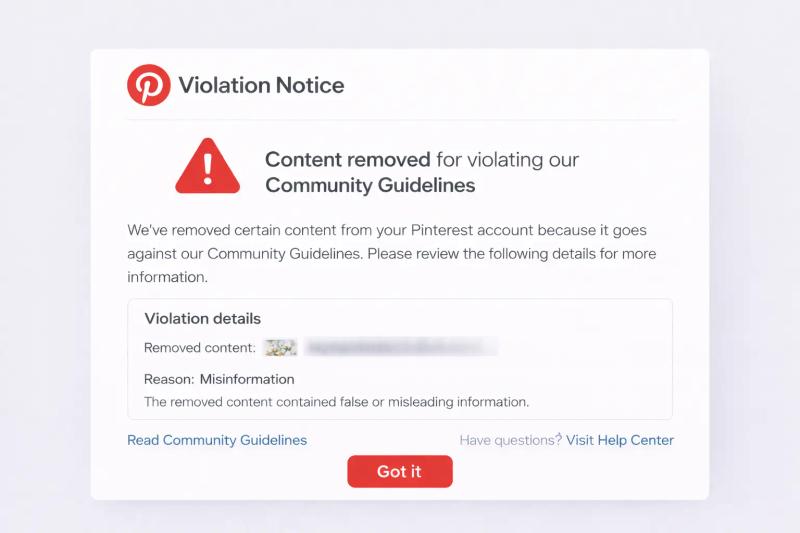
Getting a violation notice from Pinterest can feel confusing and stressful.
You log in expecting to scroll, post, or check analytics, and instead you see a warning. Sometimes a single pin is removed. Other times your entire account is restricted or deactivated.
If you have asked yourself:
- Why did I get a violation notice on Pinterest?
- How many violations does it take to get banned?
- Why was my Pinterest account deactivated for no reason?
You are not alone.
In this guide, we will walk through how Pinterest moderation works, what usually triggers warnings, how many strikes can lead to suspension, and what you can do if your account is disabled.
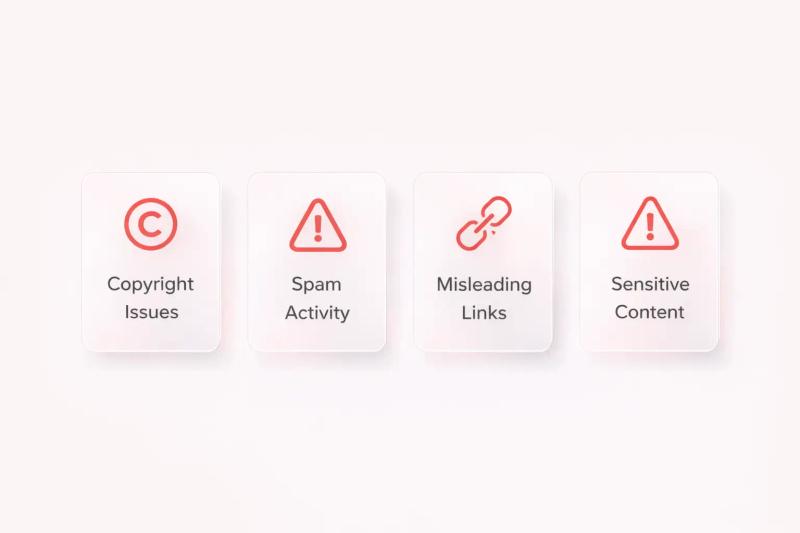
A Pinterest violation notice usually happens due to copyright issues, spam-like behavior, misleading links, sensitive content, or aggressive automation. Not all violations mean a ban, but repeated or serious issues can lead to suspension.
If your account is restricted or deactivated:
- Read the email carefully
- Review the Community Guidelines
- Remove similar risky content
- Submit a calm, clear appeal if needed
- Avoid creating a new account immediately
What Is a Pinterest Violation Notice?
Pinterest moderates content using a mix of automated systems and human review.
When a pin or account violates their rules, Pinterest may:
- Remove the pin
- Send a warning
- Limit account reach
- Suspend the account
- Permanently deactivate the account
Pinterest outlines its rules in the Pinterest Community Guidelines. These guidelines cover spam, safety, copyright, misinformation, and harmful content.
A violation notice does not always mean your account is banned. Sometimes it simply means one piece of content was removed.
Why Did I Get a Violation Notice on Pinterest?
Getting a violation notice can feel personal. In most cases, it is not.
Pinterest uses a mix of automated systems and human moderation to review content. Sometimes the system flags something correctly. Other times it is overly cautious. Either way, the notice usually connects to one of a few common triggers.
Let’s go through them in a practical way.
1. Copyright or Image Ownership Issues
This is one of the most common reasons.
If you uploaded an image that you did not create, Pinterest may remove it after a copyright complaint. The platform follows the rules outlined under the Digital Millennium Copyright Act, which you can review on the official U.S.
Copyright Office website: https://www.copyright.gov/dmca/
Here is a common example:
- You find a beautiful infographic on Google.
- You download it and upload it directly to Pinterest.
- The original creator files a complaint.
Pinterest removes your pin and sends you a notice.
Even if an image is widely shared on Pinterest, that does not mean it is free to repost. Pinterest explains this clearly in its own Copyright Policy:
If you are not sure whether you have rights to an image, it is safer to link to the original source rather than reuploading it.
Read more: Are Pinterest Image free to use?
2. Spam or Unusual Activity Patterns
Sometimes the issue is not the content itself, but the behavior around it.
Pinterest may flag accounts that:
- Post the same link repeatedly within a short time
- Rapidly schedule dozens of pins at once
- Join many group boards and flood them
- Send repetitive messages
- Aggressively follow/unfollow 100s of people
To the system, this can look like spam. Instead of mass posting the same link repeatedly, it is better to follow structured Pinterest SEO practices that focus on keyword optimization, content variation, and gradual publishing.
Pinterest outlines what it considers spam in its Community Guidelines:
For example: If you create 50 pins linking to the exact same blog post and publish them within one hour, the system may interpret this as spam behavior even if the content itself is legitimate.
3. Misleading, Broken, or Low-Quality Links
Pinterest cares about user experience.
If someone clicks your pin and lands on:
- A broken page
- A redirect chain
- A page filled mostly with popups
- Content that does not match the pin
That can trigger reports or automatic flags.
For instance:
If your pin says “Free Budget Template” but the landing page asks users to purchase something immediately without offering the promised template, that can be seen as misleading.
Pinterest’s advertising and content policies emphasize transparency and accuracy.
You can review their general platform rules here: https://policy.pinterest.com/en
Even organic pins are expected to provide honest value.
4. Sensitive or Restricted Content
Certain categories are closely monitored.
These include:
- Adult content
- Self-harm references
- Dangerous misinformation
- Hate speech
Sometimes even educational or awareness posts can be mistakenly flagged if the wording triggers automated filters.
If your content relates to health or finance, clarity becomes especially important. Avoid exaggerated claims such as “guaranteed results” or “instant cure.” Those phrases can trigger review.
5. Aggressive Automation or Unnatural Posting Patterns
Sometimes the issue is not the content itself, but how it is posted.
Pinterest monitors behavioral signals. If your account suddenly:
- Publishes dozens of pins within minutes
- Posts the same link repeatedly in short intervals
- Uses identical titles and descriptions across many pins
- Makes rapid bulk edits
The system may interpret this as spam or bot-like activity.
Even if your content is legitimate, unnatural timing patterns can trigger automated review.
For example:
If you upload 80 pins linking to your website in one hour, even if they are high quality, Pinterest may flag the behavior because it looks automated or manipulative.
This is why structured scheduling matters.
Tools like PinSumo AI help prevent this type of issue by distributing content gradually instead of in bulk. Instead of publishing everything at once, smart queuing spreads pins across different times and days.
It can also generate multiple variations of pins so your content does not appear repetitive.
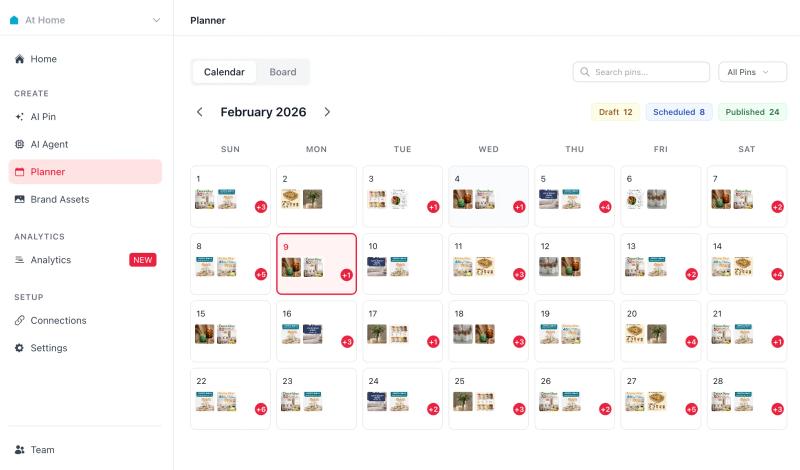
The purpose of using structured automation is not to bypass Pinterest rules. It is to avoid accidental spam patterns that happen when creators manually batch publish too aggressively.
When automation supports natural pacing, consistent formatting, and healthy distribution, it actually reduces the risk of triggering moderation systems.
What to Do After a Pinterest Violation or Account Deactivation
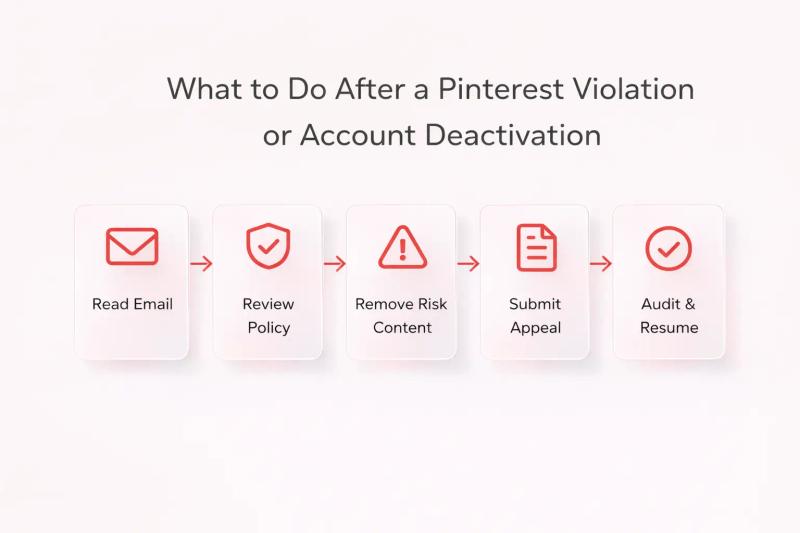
Getting a violation notice is frustrating. Having your account suspended or deactivated is even more stressful.
The most important thing is this: do not panic and do not create a new account immediately.
Here is a calm, step-by-step recovery process.
Step 1: Read the Email Carefully
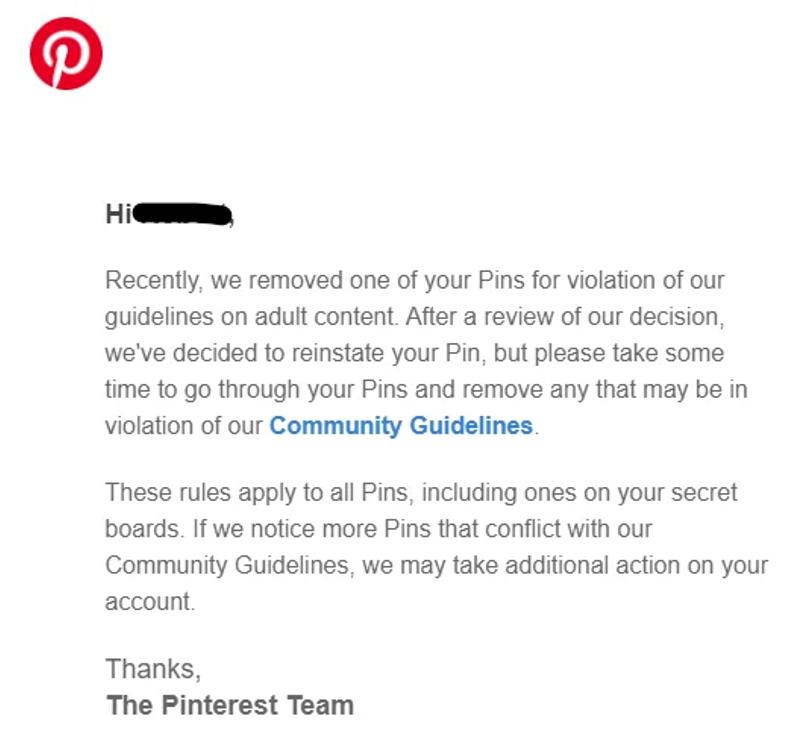
When Pinterest takes action, they usually send an email explaining:
- Whether a specific pin was removed
- Whether your account is temporarily suspended or permanently deactivated
- Which policy was violated
Search your inbox for emails from Pinterest. Also check spam folders.
If the email mentions a policy, review the official Pinterest Community Guidelines here: https://policy.pinterest.com/en/community-guidelines
Understanding the reason matters before you respond.
Step 2: Determine the Type of Action
There are different levels of enforcement:
Content-Level Removal
Only a specific pin was removed.
Your account is still active.
Limited Distribution
Your content is visible but reach is restricted.
Temporary Suspension
You cannot access your account for a period of time.
Permanent Deactivation
Your account is disabled until successful appeal.
Knowing which category applies helps you choose the right next step.
Step 3: Remove Similar Risky Content
If one pin was flagged for:
- Copyright
- Misleading claims
- Unsafe links
- Spam behavior
Review your profile and remove similar content.
This shows good faith if your account is under review.
For example:
If a pin was removed for copyright, check other pins using similar graphics.
If it was link-related, test all your URLs.
Step 4: Submit an Appeal (If Needed)
If your account is suspended or deactivated and you believe it was a mistake, submit an appeal through the Pinterest Help Center:
https://help.pinterest.com/en/contact
When writing your appeal:
- Be calm and professional
- Clearly explain your situation
- Reference the specific policy mentioned
- Provide proof if relevant (such as image ownership or license)
Avoid emotional or aggressive language. Short, clear explanations work best.
Example tone:
“I reviewed the Community Guidelines and believe this may have been flagged in error. The image used is original and created by me. I can provide source files if needed.”
Pinterest reviews appeals manually in many cases.

Generate pins with AI agent on autopilot
Create, schedule, and grow your Pinterest presence effortlessly with AI-powered automation.
Try GenSumo FreeStep 5: Audit Your Account Before Posting Again
If access is restored, do not resume posting aggressively.
Instead:
- Review your scheduling behavior
- Slow down posting frequency temporarily
- Remove duplicate or repetitive pins
- Check that all links work properly
- Ensure images are licensed or original
If you use automation tools, make sure they distribute content gradually rather than in bulk.
Structured scheduling platforms like PinSumo AI can help space out content over different times and days, reducing the risk of sudden activity spikes that sometimes trigger automated moderation.
The goal is stability and consistency, not rapid growth.
Step 6: Avoid Creating a New Account Immediately
If your account is deactivated, do not rush to create a new one from the same IP or device.
Pinterest may link accounts through:
- IP address
- Email patterns
- Website domain
- Device fingerprinting
Creating a new account before resolving the issue can make recovery harder.
Step 7: Monitor Gradual Restoration
Sometimes accounts are restored but with limited distribution.
If that happens:
- Post normally but moderately
- Avoid mass publishing
- Focus on high quality content
- Track engagement trends
Account trust often rebuilds gradually.
How Long Does Recovery Take?
It varies.
- Minor violations may resolve within days.
- Appeals can take several days to a few weeks.
- Complex copyright disputes may take longer.
Patience is necessary.
When Recovery Is Not Possible
If Pinterest permanently denies your appeal:
- Carefully review why
- Make structural changes to your content strategy
- Wait before launching a new account
- Ensure full compliance going forward
In some cases, long term trust rebuilding is required.
Final Thoughts
Receiving a violation notice can feel alarming, especially if you believe you did nothing wrong.
In most cases, Pinterest’s system is reacting to patterns, not intentions. Sudden posting spikes, repeated links, copyright misunderstandings, or unclear landing pages can trigger automated reviews.
The key is to approach it logically.
- Read the notice carefully.
- Understand which guideline applies.
- Correct similar content.
- Appeal respectfully if needed.
Pinterest is focused on protecting user experience and content quality. When your strategy aligns with those priorities, long-term account stability becomes much easier.
Frequently Asked Questions
How many violations does it take to get banned on Pinterest?
Pinterest does not publicly share a fixed number. Minor violations may result in warnings, while serious violations such as major copyright infringement or harmful content can lead to immediate suspension. Repeated smaller violations increase risk over time.
Can I recover a permanently deactivated Pinterest account?
In many cases, yes. You can submit an appeal through the Pinterest Help Center. Success depends on the violation type, your account history, and whether you provide clear evidence or explanation.
Why was my Pinterest account deactivated for no reason?
Most deactivations are triggered by automated systems detecting unusual activity patterns, copyright complaints, or spam signals. Even if unintentional, rapid posting or repetitive behavior can appear suspicious to moderation systems.
Does automation cause Pinterest violations?
Automation itself is not automatically banned. However, aggressive or unnatural automation that causes sudden posting spikes or repetitive content can trigger moderation review. Responsible scheduling and gradual distribution are safer approaches.
Will creating a new Pinterest account solve the problem?
Usually no. If your original account was suspended, creating a new account immediately can make recovery harder. It is better to appeal first and resolve the issue properly.
How long does Pinterest take to review appeals?
It varies. Some appeals are reviewed within a few days, while others can take a few weeks depending on complexity and review volume.