

Free AI Instagram Bio Generator
Generate engaging Instagram bios instantly with AI. Create optimized bios with multiple variations, custom tone, optional emojis and hashtags to make your profile stand out. Completely free, no sign up required.
Create Engaging Instagram Bios That Stand Out
Your Instagram bio is the first thing people see. Our AI helps you craft bios that make a strong first impression, clearly communicate who you are, and encourage profile visits and follows, all within Instagram's 150-character limit.
Make a Strong First Impression
Your bio is the first thing visitors see. Our AI helps you create bios that immediately communicate who you are and what you do, making a memorable first impression that encourages follows and profile engagement.
Get Multiple Variations Instantly
Test different bio approaches without spending hours writing. Generate up to 5 variations at once, compare them side by side, and choose the one that best represents your brand. More options mean better results.
Master the 150-Character Limit
Instagram bios have a strict 150-character limit. Our AI helps you say everything you need within this limit, maximizing impact without feeling cramped. Every character counts, and our AI makes them count.
Customize Tone and Style
Match your bio to your brand personality. Choose from professional, casual, friendly, humorous, inspirational, or creative tones. Our AI adapts to your chosen style, ensuring your bio sounds authentically you.

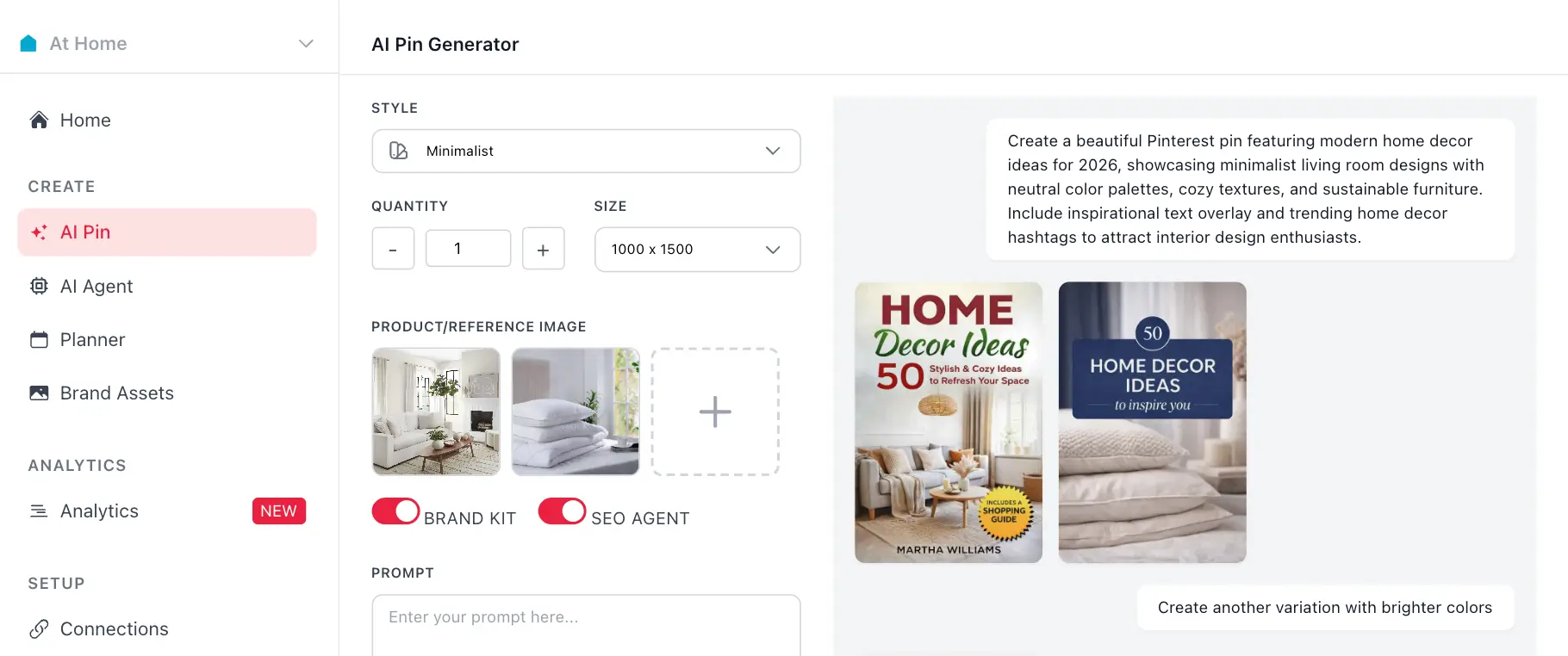
Generate Pinterest Pins with AI Agent
Use your generated hashtags with GenSumo's AI pin generator. Create stunning Pinterest pins with AI-generated titles, descriptions, and hashtags all in one place.
Try GenSumo FreeHow to Write Instagram Bios That Get Follows
Your Instagram bio is your profile's first impression. Here's how to write bios that clearly communicate who you are, what you do, and why people should follow you, all within Instagram's 150-character limit.
- Lead with Your Value Proposition
Start with who you are and what you do. Be clear and specific. "Fitness coach helping busy professionals" is better than "Fitness enthusiast." Your first line determines if someone keeps reading or scrolls past.
- Use Line Breaks Strategically
Instagram bios support line breaks. Use them to create visual separation and make your bio scannable. Break it into 2-3 lines: who you are, what you offer, and a call to action. Our AI formats bios with proper line breaks.
- Include a Clear Call to Action
Tell visitors what you want them to do. "Link in bio," "DM for inquiries," or "Follow for daily tips" are common CTAs. Make it clear and actionable. Our AI includes relevant CTAs based on your description.
- Use Emojis Strategically
Emojis can make your bio more visually appealing and help break up text, but don't overdo it. Use 2-4 emojis maximum. Our AI includes emojis when you enable the option, placing them strategically for maximum impact.
- Match Your Brand Tone
Whether you're professional, casual, or creative, your bio should match your brand voice. Our AI adapts to your chosen tone, ensuring consistency across your profile. Professional accounts need professional bios.
- Test Multiple Variations
Generate multiple bio options and test them. What works for one account might not work for another. Our generator creates up to 5 variations so you can compare and choose the best one for your brand.
- Update Regularly
Your bio isn't set in stone. Update it when you launch new products, change your focus, or want to refresh your profile. Our AI helps you create new bios quickly whenever you need to update your profile.
Schedule and Automate Your Pinterest Strategy
After generating hashtags, use GenSumo's scheduling feature to plan and publish your pins at optimal times. Automate your Pinterest marketing with AI-powered scheduling and best time recommendations.

Planner






Frequently asked questions
Your most important questions about our free Instagram hashtag generator answered here.