

GenSumo
FREE TOOL

Free AI LinkedIn Bio Generator

Generate professional LinkedIn bios instantly with AI. Create optimized bios with multiple variations, custom tone, optional emojis and hashtags to make your profile stand out. Completely free, no sign up required.

WHY USE THIS TOOL

Create Professional LinkedIn Bios That Build Authority

Your LinkedIn bio is your professional introduction. Our AI helps you craft bios that establish thought leadership, showcase expertise, and attract the right connections, all while maintaining a professional tone that matches LinkedIn's B2B environment.

Establish Thought Leadership

LinkedIn rewards profiles that showcase expertise. Our AI helps you create bios that position you as a thought leader in your industry, boosting your professional credibility and attracting the right connections.

Attract B2B Opportunities

LinkedIn is where business happens. Well-crafted bios attract potential clients, partners, and career opportunities. Our AI helps you write bios that showcase your expertise and attract the right professional connections.

Maintain Professional Tone

LinkedIn requires a different voice than Instagram or TikTok. Our AI generates bios that are professional yet engaging, perfect for building your personal brand without sounding too corporate or too casual.

Test Multiple Approaches

Generate up to 5 bio variations and test which one resonates best with your professional audience. Compare different tones and styles side by side, then choose the one that best represents your professional brand.

AI Pin Generator
AI agent
CREATE PINS WITH AI

Generate Pinterest Pins with AI Agent

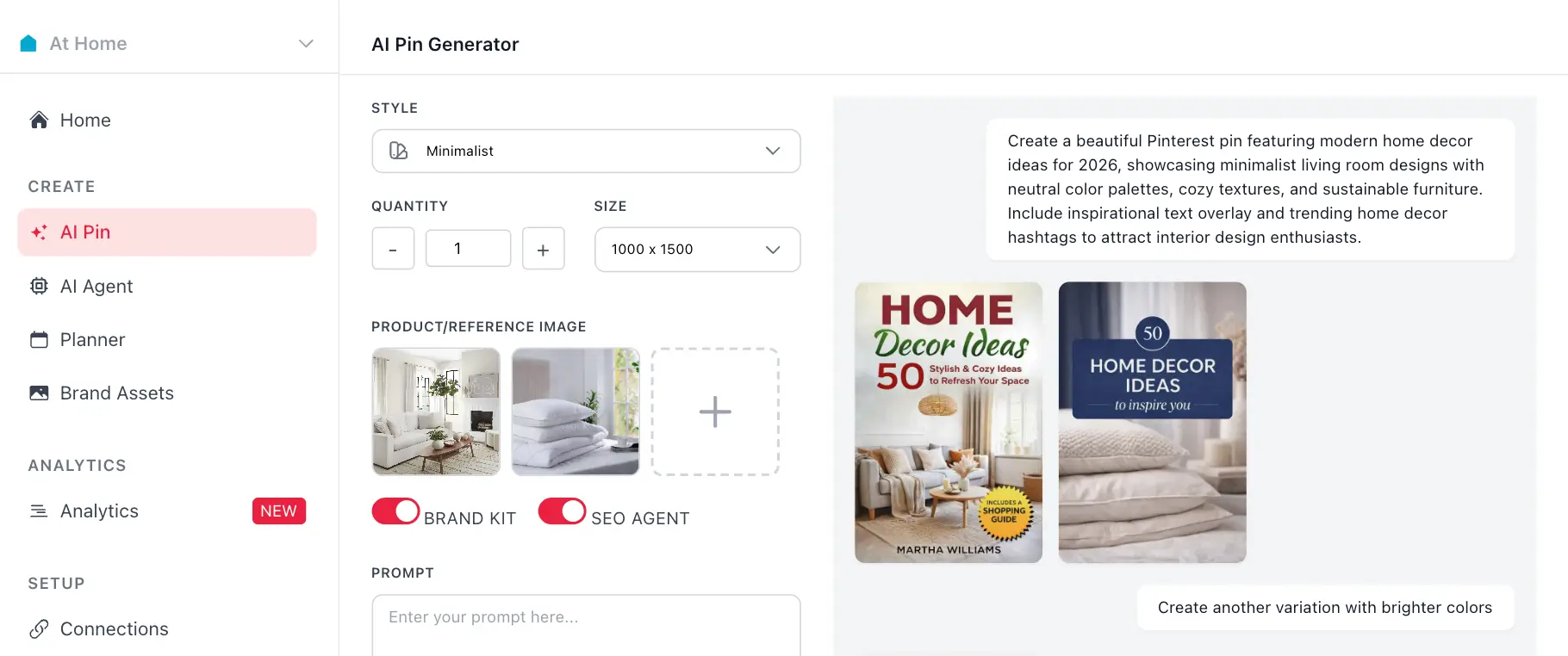
Use your generated hashtags with GenSumo's AI pin generator. Create stunning Pinterest pins with AI-generated titles, descriptions, and hashtags all in one place.

Try GenSumo Free
COMPLETE GUIDE

How to Write LinkedIn Bios That Build Authority

Your LinkedIn bio is your professional introduction. Here's how to write bios that establish thought leadership, showcase expertise, and attract the right connections, all while maintaining a professional tone that matches LinkedIn's B2B environment.

  1. Lead with Your Value Proposition

    Start with who you are and what you do professionally. Be clear and specific. "Senior software engineer specializing in cloud architecture" is better than "Tech professional." Your first line determines if someone keeps reading.

  2. Highlight Your Expertise

    LinkedIn rewards profiles that showcase expertise. Mention your key skills, years of experience, or notable achievements. Our AI helps you communicate your professional value clearly and concisely.

  3. Use Professional Language

    LinkedIn values professionalism. Write your bio using professional language that matches your industry. Our AI adapts to your chosen tone, ensuring your bio sounds professional yet engaging.

  4. Include a Clear Call to Action

    Tell visitors what you want them to do. "Connect with me," "Visit my website," or "DM for inquiries" are common CTAs. Make it clear and actionable. Our AI includes relevant CTAs based on your description.

  5. Keep It Concise

    While LinkedIn doesn't have Instagram's strict limit, shorter bios (under 200 characters) typically perform better. Our AI helps you say everything you need within a concise format, maximizing impact without overwhelming visitors.

  6. Test Different Variations

    Generate multiple bio options and test them. What works for one profile might not work for another. Our generator creates up to 5 variations so you can compare and choose the best one for your professional brand.

  7. Update When Needed

    Your bio isn't permanent. Update it when you change jobs, earn new certifications, or want to refresh your professional presence. Our AI helps you create new bios quickly whenever you need to update your LinkedIn profile.

AUTOMATION & SCHEDULING

Schedule and Automate Your Pinterest Strategy

After generating hashtags, use GenSumo's scheduling feature to plan and publish your pins at optimal times. Automate your Pinterest marketing with AI-powered scheduling and best time recommendations.

At Home favicon
At Home

Planner

February 2026

Draft 12 Scheduled 8 Published 24
SUN
MON
TUE
WED
THU
FRI
SAT
1
Pin scheduled for February 1Pin scheduled for February 1
+3
2
Pin scheduled for February 2Pin scheduled for February 2
3
Pin scheduled for February 3Pin scheduled for February 3
+1
4
Pin scheduled for February 4Pin scheduled for February 4
+1
5
Pin scheduled for February 5Pin scheduled for February 5
+4
6
Pin scheduled for February 6Pin scheduled for February 6
7
Pin scheduled for February 7Pin scheduled for February 7
+2
8
Pin scheduled for February 8Pin scheduled for February 8
+5
9
Pin scheduled for February 9Pin scheduled for February 9
+1
10
Pin scheduled for February 10Pin scheduled for February 10
11
Pin scheduled for February 11Pin scheduled for February 11
+3
12
Pin scheduled for February 12Pin scheduled for February 12
13
Pin scheduled for February 13Pin scheduled for February 13
+2
14
Pin scheduled for February 14Pin scheduled for February 14
+4
15
Pin scheduled for February 15Pin scheduled for February 15
16
Pin scheduled for February 16Pin scheduled for February 16
+3
17
Pin scheduled for February 17Pin scheduled for February 17
+1
18
Pin scheduled for February 18Pin scheduled for February 18
+3
19
Pin scheduled for February 19Pin scheduled for February 19
20
Pin scheduled for February 20Pin scheduled for February 20
+4
21
Pin scheduled for February 21Pin scheduled for February 21
+1
22
Pin scheduled for February 22Pin scheduled for February 22
+6
23
Pin scheduled for February 23Pin scheduled for February 23
24
Pin scheduled for February 24Pin scheduled for February 24
+2
25
Pin scheduled for February 25Pin scheduled for February 25
+3
26
Pin scheduled for February 26Pin scheduled for February 26
+2
27
Pin scheduled for February 27Pin scheduled for February 27
+5
28
Pin scheduled for February 28Pin scheduled for February 28
+3
Start Scheduling Free
FAQ

Frequently asked questions

Your most important questions about our free Instagram hashtag generator answered here.
Our free AI powered bio generator uses advanced machine learning to analyze your description and create professional, LinkedIn-optimized bios. Simply tell us about yourself or your brand, choose the number of variations, tone, language, and whether to include emojis or hashtags. Our AI will generate multiple bio options tailored to LinkedIn's professional environment.
Yes, our LinkedIn bio generator is completely free to use. No sign up required, no credit card needed, and no hidden fees. Generate as many bios as you need without any limitations.
LinkedIn bios need to be professional, value-driven, and establish thought leadership. Our AI creates bios that showcase expertise, highlight achievements, and communicate value to a B2B audience. They need to be professional yet engaging, matching LinkedIn's business-focused environment.
Emojis are less common on LinkedIn than on other platforms. While they can add personality, many professionals prefer cleaner, text-only bios. Our tool lets you toggle emojis on or off, so you can test what works best. For most LinkedIn profiles, professional tones without emojis work best.
Yes! Our generator lets you create up to 5 bio variations at once. This helps you test different approaches and find the one that best represents your professional brand. You can compare them side by side and choose your favorite.
For LinkedIn, professional tone is usually best. Our generator offers professional, casual, friendly, humorous, inspirational, and creative tones. Choose professional for most LinkedIn profiles, or friendly if you want a more approachable professional presence.
LinkedIn doesn't have a strict character limit, but shorter bios (under 200 characters) typically perform better. Our AI creates bios that are concise yet informative, clearly communicating who you are and what you do without being too long.
Yes! Our bio generator supports multiple languages including English, Spanish, French, German, Portuguese, Italian, Japanese, Korean, and Chinese. Perfect for reaching global professional audiences or creating localized profiles for different markets.
Hashtags work on LinkedIn but aren't as critical as on Instagram. They can help with discoverability, but LinkedIn's algorithm prioritizes engagement and value. Our tool lets you toggle hashtags on or off, so you can test what works best for your professional audience.
Not at all! Whether you're new to LinkedIn or updating an existing profile, our AI helps you write bios that work. Just describe yourself or your brand, and our AI handles the rest, giving you professional bio options you can customize.