

GenSumo
FREE TOOL

Free AI Threads Caption Generator

Generate engaging Threads post captions instantly with AI. Create optimized captions for your Threads posts with optional hashtags to increase visibility, reach, and engagement. Completely free, no sign up required.

WHY USE THIS TOOL

Create Engaging Threads Posts That Spark Conversations

Threads is all about text-first conversations. Our AI helps you craft posts that start discussions, share thoughts, and build connections—perfect for Meta's Twitter alternative.

Master Text-First Content

Threads prioritizes text over images. Our AI helps you write posts that stand alone without visuals—perfect for sharing thoughts, opinions, and starting conversations in Threads' text-focused feed.

Build Your Threads Presence Early

Threads is still growing, which means less competition. Post consistently with engaging captions to build your following now, before it gets crowded. Early adopters get better visibility.

Cross-Post from Instagram Easily

Since Threads is connected to Instagram, you can share content across both. Our AI generates captions optimized for Threads' conversation style, making cross-posting seamless and effective.

Engage in Real-Time Conversations

Threads is built for back-and-forth discussions. Our AI creates posts that invite replies and keep conversations going. More replies = more visibility in Threads' algorithm.

AI Pin Generator
AI agent
CREATE PINS WITH AI

Generate Pinterest Pins with AI Agent

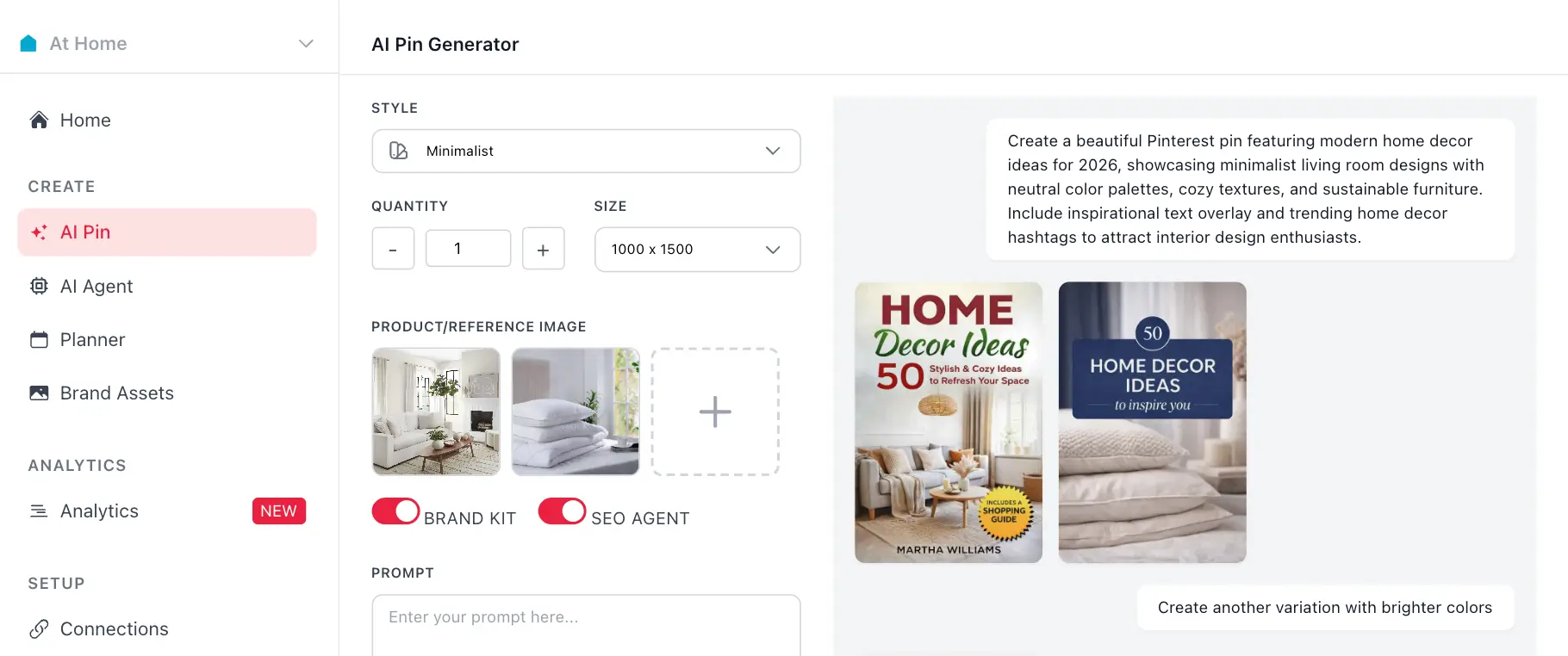
Use your generated hashtags with GenSumo's AI pin generator. Create stunning Pinterest pins with AI-generated titles, descriptions, and hashtags all in one place.

Try GenSumo Free
COMPLETE GUIDE

How to Write Threads Posts That Start Conversations

Threads is built for conversations, not just broadcasting. Here's how to write posts that get replies, build connections, and grow your presence on Meta's text-first platform.

  1. Lead with Your Main Point

    Threads shows the first line of your post in the feed. Make it count. Start with your key message, a hot take, or a question that makes people want to read more. No fluff—get straight to the point.

  2. Write for Text-First Consumption

    Unlike Instagram, Threads posts don't need images to work. Write captions that stand alone. Share thoughts, opinions, updates, or stories that are interesting even without visuals. Text is the star here.

  3. Invite Replies, Not Just Likes

    Threads rewards conversation. End with a question that's easy to answer, ask for opinions, or share something controversial (respectfully). Replies boost your visibility more than likes do.

  4. Use Threads' 500-Character Limit Wisely

    You have 500 characters—more than Twitter, less than Instagram. Be concise but complete. Our AI helps you craft posts that say everything you need within the limit, maximizing impact.

  5. Engage in the Replies

    When someone replies, reply back quickly. Threads shows active conversations in the feed, so engaging with replies keeps your post visible longer. More replies = more reach.

  6. Cross-Post Strategically

    Since Threads connects to Instagram, you can share the same content. But adapt your caption for Threads' conversation style. What works on Instagram might need tweaking for Threads' text-first audience.

  7. Build Your Threads Voice

    Threads is still new, so there's room to establish your voice. Be consistent, authentic, and conversational. Our AI helps you maintain that voice while generating fresh content regularly.

AUTOMATION & SCHEDULING

Schedule and Automate Your Pinterest Strategy

After generating hashtags, use GenSumo's scheduling feature to plan and publish your pins at optimal times. Automate your Pinterest marketing with AI-powered scheduling and best time recommendations.

At Home favicon
At Home

Planner

February 2026

Draft 12 Scheduled 8 Published 24
SUN
MON
TUE
WED
THU
FRI
SAT
1
Pin scheduled for February 1Pin scheduled for February 1
+3
2
Pin scheduled for February 2Pin scheduled for February 2
3
Pin scheduled for February 3Pin scheduled for February 3
+1
4
Pin scheduled for February 4Pin scheduled for February 4
+1
5
Pin scheduled for February 5Pin scheduled for February 5
+4
6
Pin scheduled for February 6Pin scheduled for February 6
7
Pin scheduled for February 7Pin scheduled for February 7
+2
8
Pin scheduled for February 8Pin scheduled for February 8
+5
9
Pin scheduled for February 9Pin scheduled for February 9
+1
10
Pin scheduled for February 10Pin scheduled for February 10
11
Pin scheduled for February 11Pin scheduled for February 11
+3
12
Pin scheduled for February 12Pin scheduled for February 12
13
Pin scheduled for February 13Pin scheduled for February 13
+2
14
Pin scheduled for February 14Pin scheduled for February 14
+4
15
Pin scheduled for February 15Pin scheduled for February 15
16
Pin scheduled for February 16Pin scheduled for February 16
+3
17
Pin scheduled for February 17Pin scheduled for February 17
+1
18
Pin scheduled for February 18Pin scheduled for February 18
+3
19
Pin scheduled for February 19Pin scheduled for February 19
20
Pin scheduled for February 20Pin scheduled for February 20
+4
21
Pin scheduled for February 21Pin scheduled for February 21
+1
22
Pin scheduled for February 22Pin scheduled for February 22
+6
23
Pin scheduled for February 23Pin scheduled for February 23
24
Pin scheduled for February 24Pin scheduled for February 24
+2
25
Pin scheduled for February 25Pin scheduled for February 25
+3
26
Pin scheduled for February 26Pin scheduled for February 26
+2
27
Pin scheduled for February 27Pin scheduled for February 27
+5
28
Pin scheduled for February 28Pin scheduled for February 28
+3
Start Scheduling Free
FAQ

Frequently asked questions

Your most important questions about our free Instagram hashtag generator answered here.
Our free AI powered caption generator uses advanced machine learning to analyze your post description or topic and create engaging, Threads-optimized captions. Simply enter what your post is about, choose your language, decide if you want hashtags included, and our AI will generate a caption tailored to Threads' text-first, conversation-driven format.
Yes, our Threads caption generator is completely free to use. No sign up required, no credit card needed, and no hidden fees. Generate as many captions as you need without any limitations.
Threads is text-first and conversation-focused, unlike Instagram's visual emphasis or Twitter's brevity. Our AI creates captions that stand alone without images, invite replies, and build community—perfect for Threads' unique positioning as Meta's conversation platform.
Hashtags work on Threads but aren't as critical as on Instagram. They can help with discoverability, but Threads' algorithm focuses more on conversations. Our tool lets you toggle hashtags on or off, so you can test what works best for your audience.
Yes! The generated captions are fully editable. You can copy the caption and modify it however you like before posting. Add your personal touch, include mentions, or adjust the tone to match your brand voice.
Threads gives you 500 characters—more than Twitter's 280, less than Instagram's 2,200. Our AI helps you craft posts that say everything you need within this limit, maximizing impact while staying concise and conversation-starting.
Yes! Since Threads connects to Instagram, you can share content across both. Our AI generates captions optimized for Threads' conversation style, making cross-posting seamless. Just adapt the caption for Threads' text-first audience.
Our caption generator supports multiple languages including English, Spanish, French, German, Portuguese, Italian, Japanese, Korean, and Chinese. Perfect for reaching global audiences on Threads' growing international platform.
Threads rewards posts that spark conversations. Our AI creates captions that end with questions, share hot takes, or invite opinions—exactly what gets replies. More replies mean better visibility in Threads' algorithm.
Yes! Threads is still in early growth phase, which means less competition and more opportunity. Post consistently with engaging captions to build your presence now, before it gets crowded. Early adopters get better visibility.